Time Tracking for Sales Teams on the Road
Calls, meetings and site visits go on the account they belong to, and a geofence starts the timer the moment a rep arrives.


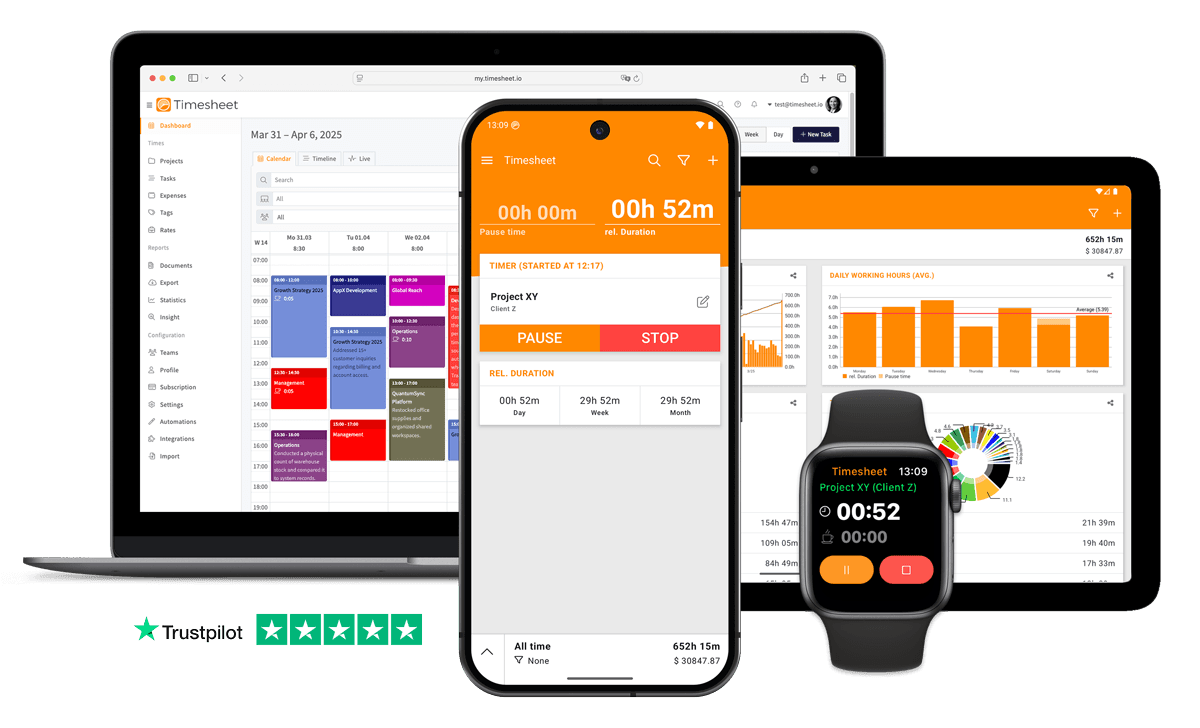
7h 45m
Tracked
Synced
All Devices
- GDPR Compliant
- Data Encrypted
- 4.5/5 from 13,000+ reviews
- Free plan available
- iOS, Android & web
- Works offline



Designed specifically for Sales Teams
Tracking time per deal is tedious when you're focused on closing
Log activities quickly: 'Add 1 hour sales call with Acme Corp' via MCP Server through any AI assistant.
Manual time tracking wastes valuable work hours and leads to inaccurate billing
Automatic timers with geofencing and Wi-Fi triggers start tracking when you begin working.
Desktop-first time tracking software is left unused when sales teams are away from the computer
Native iOS and Android apps with one-tap timer, offline mode and Apple Watch support.
Hard to know how much time is spent on each account or prospect
Unlimited projects for accounts with visual distribution charts showing time per deal.
Sales calls happen from home, office, or on the road
One-tap timer works everywhere. Track calls from any device.
Field sales means hours away from the office
Mobile clock in/out from anywhere. GPS optional.
Calls, meetings, and admin fill the day
Tag time by activity. See daily breakdown by type.
Without project-level tracking, sales teams never know which jobs are actually profitable
Every tracked second is filed against a project, task and client with its own hourly rate.
“83% of sales teams using AI saw revenue growth, compared to only 66% of teams without AI”
Source: Salesforce State of Sales Report
What Timesheet Handles
Time tracking, reports, invoices, exports, automation, HR rules, and AI logging in one system.
Simplified Time Tracking
One tap between meetings records the call that just ended, on the right account and deal stage, while the detail is still fresh.
- One-tap time tracking
- WLAN & Geofencing automation
- Scheduled break reminders
- NFC tag support

Project & Task Management
A project per territory or key account, with tasks for prospecting, discovery, demos, proposals and negotiation, so every stage has real hours behind it.
- Unlimited projects
- Task categorization
- Team collaboration
- Calendar integration

Accurate Feedback & Analytics
Hours by rep, by account and by activity show where selling time really goes, and how much of it never reaches a customer conversation.
- Daily, weekly, monthly reports
- Income tracking
- Trend identification
- Export to Excel & CSV

Professional Invoice Generation
Where onboarding or training is billed alongside the licence, turn those hours into a PDF invoice with your template, tax rate and agreed discount.
- Generate invoices from time entries
- Add expenses and notes
- Track payment status
- PDF export

Comprehensive Data Export
One CSV per rep for your own analysis, one PDF per account for the quarterly review, both filtered to the date range you care about.
- Excel export
- CSV export
- PDF reports
- API access

Automatic Time Tracking
A geofence at the customer site clocks you in and out on the road. The half hour either side of a meeting is not lost.
- Location-based tracking
- WLAN detection
- Background timer operation
- Persistent quick actions

HR-Ready Time Tracking
Overtime balances, working-time limits and holiday for the team, visible mid-quarter, before you find out a rep has been over their hours for two months.
- Contracts & employment models
- Live working-time limits
- Leave & overtime balances
- Absence requests & calendar

AI-First Time Tracking
After a call, ask Gemini or ChatGPT to file it: "Add 45 minutes discovery for the Meridian account", booked before you dial the next number.
- Log time in one message
- Control the timer from chat
- Instant project answers
- Reminders, daily & weekly

Everything You Need
- Log sales activities through ChatGPT, Claude, or Gemini
- One-tap timer on iOS, Android and the web
- Track remote and field sales
- Unlimited account projects
- Track regular hours, breaks, overtime and billable time
- Geofence automation for client visits
- Per-project hourly rates
- Automatic timesheets, no manual entry
- Tag entries by pipeline stage, prospecting, demo, negotiation
- Ask 'How much time on Acme Corp deal?' for totals
- Professional invoice generation from tracked time
- Team visibility for managers
- Project distribution charts reveal territory time investment
Integrate With Your Favorite Tools
Send tracked time where the rest of your work already happens.












Plans by workflow
Start free, add sync, teams, HR, or AI when you need them.
Multi-user plans
For teams that work together across web, mobile, AI, and HR.
Pro
Best for Professionals
per user
- Everything in Plus
- Web Access
- Invoice Generation
- Team Features
- API Access
- Chronis AI assistant (chat-based tracking)
- MCP server (Claude · ChatGPT)
Business
HR & AI for growing teams
per user
- Everything in Pro
- Contracts & employment models
- Working-time limits & live caps
- Absence requests, approvals & calendar
- Leave & overtime balances
- Rest period & break enforcement
- Custom approval workflows
- Flextime & core-time policies
- Audit logs & compliance reports
Enterprise
Scale & dedicated support
per user
- Everything in Business
- Up to 200 team members
- 24/7 priority support
Single-user plans
Mobile-first plans for individuals.
Basic
Perfect for personal use
- Time Tracking
- Unlimited Projects
- Basic Statistics
- Excel & CSV Export
Plus
Great for freelancers
- Everything in Basic
- Cloud Backup
- Real-time Sync
- Unlimited Storage
All prices are net prices. Applicable taxes (VAT) will be added at purchase.
Frequently Asked Questions
Straight answers about plans, trials, payments, and data.
Yes. Your subscription stays active until the end of the current billing period, then switches to the Basic plan.
Yes. Upgrades are charged immediately for the prorated difference. Downgrades take effect at the end of the current billing period.
Yes. The Basic plan includes core time tracking features, including the mobile app, projects, and data export.
Yes, we offer a 30-day free trial for both Plus and Pro plans. No credit card is required to start your trial, and you can cancel anytime.
If you do not subscribe after the trial, your account switches to the Basic plan. Your data stays in place, but premium features are limited.
Yes. You can delete your account from account settings. Deletion is permanent and removes your data.
Timesheet accepts payments through Stripe and PayPal. You can pay by card through Stripe or use your PayPal balance and linked payment methods.
We do not store card details on Timesheet servers. Payment processing is handled by Stripe and PayPal.
Timesheet uses encryption, cloud infrastructure, backups, and account-based access controls. You can also export your data from the app.
Visit the Help Center at https://help.timesheet.io or email support@timesheet.io. Support usually replies within 24 hours.
Loved by Thousands Worldwide
See what our users have to say about Timesheet.
"Works good for tracking hours at my multiple contactor jobs."
Samuel Smith
"The free version isn’t crippled, it does what I want it to. I don’t do subscriptions. I would pay a one-time fee."
Peter J
"Makes my life easier. Good price per month, easy to use, and reliable"
Trisana
"Simple, easy to use, very reliable (timer keeps running, even when accidentally closing the app)Very versatile, data can be exported as csv file and edited in Excel. No ads or other bothersome setup."
Taufiq Rinawi
"The app is both easy to use, for example via the widgets, and versatile enough to make detailed notes or assign working time or activity to different projects, employers or occasions. I can only recommend it."
Z. Altug
"Best time tracker I have found after several failed attempts, so happy that it's free too."
Harshit
 App Store
based on reviews
Google Playfrom 13,317 ratings
See where the selling hours actually go
Reports split hours by member, team and client, and the whole lot exports to Excel.
Contact Us
Message us at any time, we'd love to hear from you.
Find us on Social Media
Stay connected with us on Social Media. You can find us on Facebook, Instagram, X, and LinkedIn.
Read the docs
Use the documentation for setup, API, and integration questions. For anything account-specific, contact support.
Want To Know More?
We'll get back to you as soon as possible.