Time Tracking for Developers Who Forget to Start Timers
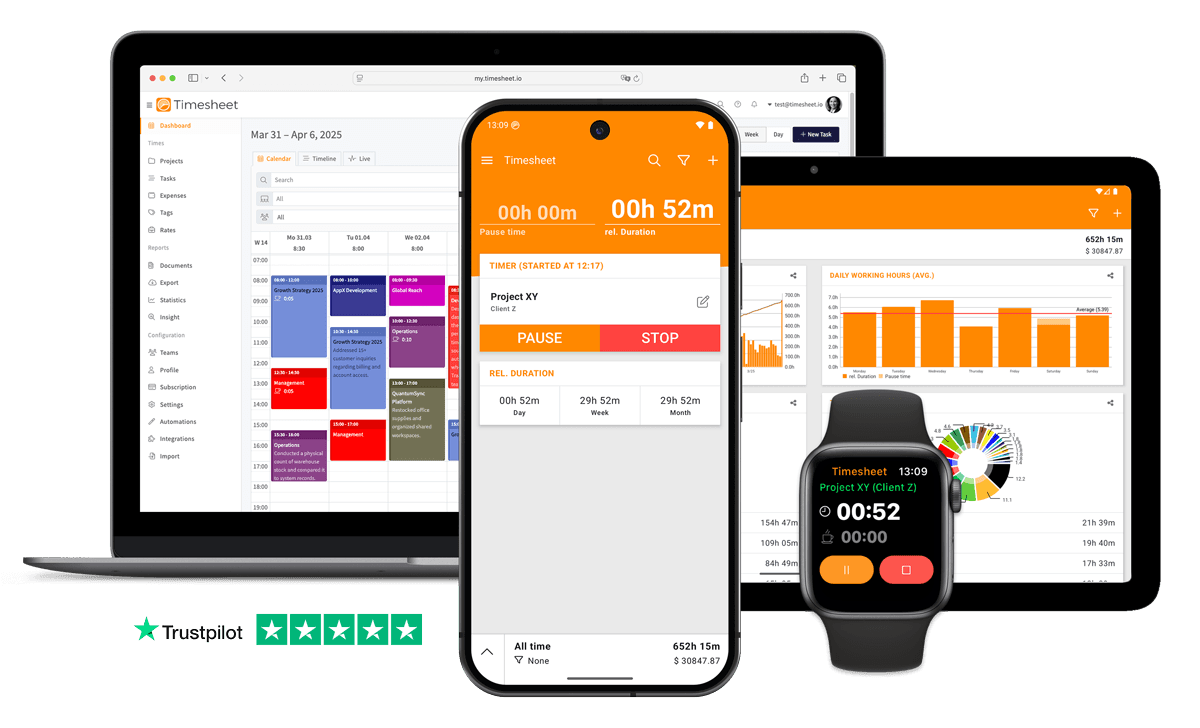
Log a coding session from ChatGPT, Claude or Gemini through the MCP server, or hit the one-tap timer and carry on working.


7h 45m
Tracked
Synced
All Devices
- GDPR Compliant
- Data Encrypted
- 4.5/5 from 13,000+ reviews
- Free plan available
- iOS, Android & web
- Works offline



Designed specifically for Developers
Context-switching to a time tracking app breaks your coding flow
Use the MCP Server to log time entries via ChatGPT or Claude right from your AI coding assistant.
Desktop-first time tracking software is left unused when developers are away from the computer
Native iOS and Android apps with one-tap timer, offline mode and Apple Watch support.
Switching between projects makes it hard to track actual coding time
One-tap timer with project switching. See time per project in visual charts.
Remote work across time zones needs async-friendly tracking
Manual entry works anytime. No need to run live timers for async work.
Can't see how long features actually take vs. estimates
Track time per feature and compare against estimates. See patterns over time.
Getting into flow means losing track of hours
Background timer runs quietly. Check totals when you need them.
Without project-level tracking, developers never know which jobs are actually profitable
Every tracked second is filed against a project, task and client with its own hourly rate.
Creating sprint reports requires exporting data and manual analysis
Ask AI Insight 'How many hours did I spend on project X this sprint?' and get instant answers.
“Developers spend 17.3 hours per week on maintenance, debugging, and refactoring, 42% of their total work time”
What Timesheet Handles
Time tracking, reports, invoices, exports, automation, HR rules, and AI logging in one system.
Simplified Time Tracking
Start a timer on the ticket you picked up and stop it when the pull request goes in. An afternoon of context switches still leaves a record.
- One-tap time tracking
- WLAN & Geofencing automation
- Scheduled break reminders
- NFC tag support

Project & Task Management
A project per client or product, tasks that mirror your tickets, and the hourly rate for that contract sitting on the project itself.
- Unlimited projects
- Task categorization
- Team collaboration
- Calendar integration

Accurate Feedback & Analytics
Hours by client, project and task, including how much of the sprint went on bugs and interruptions nobody scoped.
- Daily, weekly, monthly reports
- Income tracking
- Trend identification
- Export to Excel & CSV

Professional Invoice Generation
Invoice the sprint straight from tracked time, with per-ticket lines that show where twelve hours went before the client asks.
- Generate invoices from time entries
- Add expenses and notes
- Track payment status
- PDF export

Comprehensive Data Export
Export a date range to CSV for your own numbers. Attach a PDF to the invoice when the client's finance team needs it against a purchase order.
- Excel export
- CSV export
- PDF reports
- API access

Automatic Time Tracking
A Wi-Fi rule starts tracking when your machine joins the office network, and the timer keeps running in the background while you are heads-down.
- Location-based tracking
- WLAN detection
- Background timer operation
- Persistent quick actions

HR-Ready Time Tracking
Contracted hours, overtime and leave for the team, worth watching in a release week when everyone quietly runs past their limit.
- Contracts & employment models
- Live working-time limits
- Leave & overtime balances
- Absence requests & calendar

AI-First Time Tracking
The MCP server puts time tracking inside Claude or ChatGPT: "Log 3 hours on the auth refactor for Northwind", without leaving the terminal.
- Log time in one message
- Control the timer from chat
- Instant project answers
- Reminders, daily & weekly

Everything You Need
- Log time entries through ChatGPT, Claude, or Gemini in natural language
- Automatic timers that don't interrupt your coding flow
- One-tap timer on iOS, Android and the web
- Unlimited projects with custom hourly rates
- Tag time by coding, code review, testing, or meetings
- Query project time with AI Insight: 'How much time on bug fixes this week?'
- Track regular hours, breaks, overtime and billable time
- Team project sharing for collaborative tracking
- Automatic timesheets, no manual entry
- Works offline during development, syncs when connected
- Visual progress charts showing work patterns
Integrate With Your Favorite Tools
Send tracked time where the rest of your work already happens.












Plans by workflow
Start free, add sync, teams, HR, or AI when you need them.
Multi-user plans
For teams that work together across web, mobile, AI, and HR.
Pro
Best for Professionals
per user
- Everything in Plus
- Web Access
- Invoice Generation
- Team Features
- API Access
- Chronis AI assistant (chat-based tracking)
- MCP server (Claude · ChatGPT)
Business
HR & AI for growing teams
per user
- Everything in Pro
- Contracts & employment models
- Working-time limits & live caps
- Absence requests, approvals & calendar
- Leave & overtime balances
- Rest period & break enforcement
- Custom approval workflows
- Flextime & core-time policies
- Audit logs & compliance reports
Enterprise
Scale & dedicated support
per user
- Everything in Business
- Up to 200 team members
- 24/7 priority support
Single-user plans
Mobile-first plans for individuals.
Basic
Perfect for personal use
- Time Tracking
- Unlimited Projects
- Basic Statistics
- Excel & CSV Export
Plus
Great for freelancers
- Everything in Basic
- Cloud Backup
- Real-time Sync
- Unlimited Storage
All prices are net prices. Applicable taxes (VAT) will be added at purchase.
Frequently Asked Questions
Straight answers about plans, trials, payments, and data.
Yes. Your subscription stays active until the end of the current billing period, then switches to the Basic plan.
Yes. Upgrades are charged immediately for the prorated difference. Downgrades take effect at the end of the current billing period.
Yes. The Basic plan includes core time tracking features, including the mobile app, projects, and data export.
Yes, we offer a 30-day free trial for both Plus and Pro plans. No credit card is required to start your trial, and you can cancel anytime.
If you do not subscribe after the trial, your account switches to the Basic plan. Your data stays in place, but premium features are limited.
Yes. You can delete your account from account settings. Deletion is permanent and removes your data.
Timesheet accepts payments through Stripe and PayPal. You can pay by card through Stripe or use your PayPal balance and linked payment methods.
We do not store card details on Timesheet servers. Payment processing is handled by Stripe and PayPal.
Timesheet uses encryption, cloud infrastructure, backups, and account-based access controls. You can also export your data from the app.
Visit the Help Center at https://help.timesheet.io or email support@timesheet.io. Support usually replies within 24 hours.
Loved by Thousands Worldwide
See what our users have to say about Timesheet.
"Used this app for over two years now. It's excellent. Easy to use. The layout is clean and user friendly. The developer keeps updating and improving it regularly. I like it so much that I donated 5Euro to buy him a beer in the "donate" option. Try it, you'll love it"
Tommy Thorn
Developer
"Works perfectly. The timer feature isn't something I use all of the features on, but it is nice to not have to remember when I arrived at my client. Developer is responsive to feedback!"
Brandon Knitter
Developer
"Have used this app for many years and have never found issues. I wish developers incorporate one drive integration for backup as well. Have paid with coffees over the years☕"
Kunal Chaturvedi
Developer
"App is very helpful in keeping time. Developer is quick to respond on any issues that might develop. I've used this app for many years."
Leslie Lauter
Developer
"Awesome app. Simplest timetracker I've used in over 20 years. Does what it says which is rare for software these days."
Ian Falconer
Developer
"Used this for personal time studies at every job I do. It helps make better use of my time and bring awareness to interruptions and make processes to utilize my time better. Love the app and support the development. Long time user here!"
Derek Gombash
Developer
 App Store
based on reviews
Google Playfrom 13,317 ratings
Let Your AI Assistant Keep the Timesheet
Connect the MCP server to Claude or ChatGPT and log your first task in plain language. Free plan available.
Contact Us
Message us at any time, we'd love to hear from you.
Find us on Social Media
Stay connected with us on Social Media. You can find us on Facebook, Instagram, X, and LinkedIn.
Read the docs
Use the documentation for setup, API, and integration questions. For anything account-specific, contact support.
Want To Know More?
We'll get back to you as soon as possible.